Qibla Finder
by Alhamdulillah.com
An accurate qibla compass that checks for magnetic interference. The screen only turns green when the direction is right and the sensor is truly OK.
See how it works
- Open Qibla Finder and hold your phone flat in front of your chest.
- Turn your body slowly. The needle follows; no need to touch the screen.
- As soon as the direction is right and the compass sensor is OK, the screen turns green.
Video made with the help of AI; the phone screen shows the real app.
See the app
Real screens from the app.
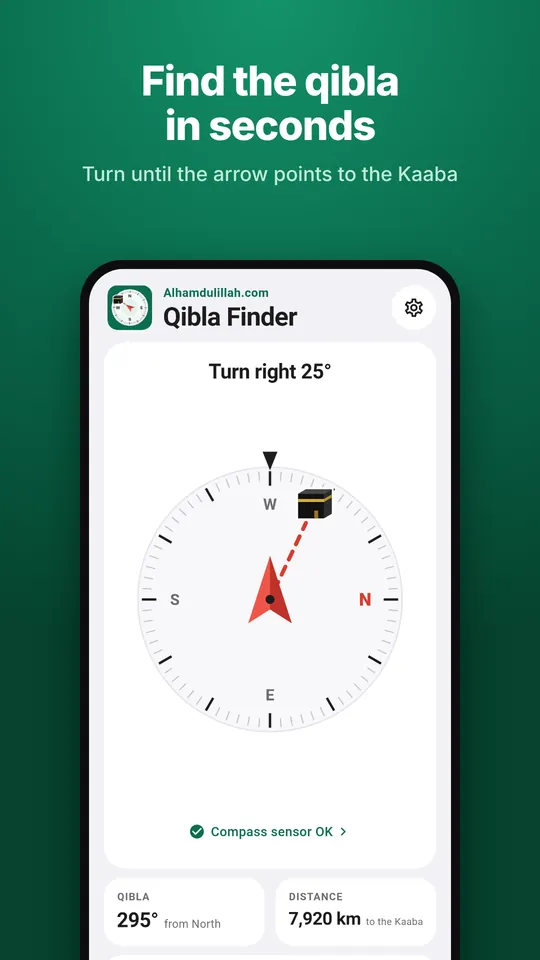
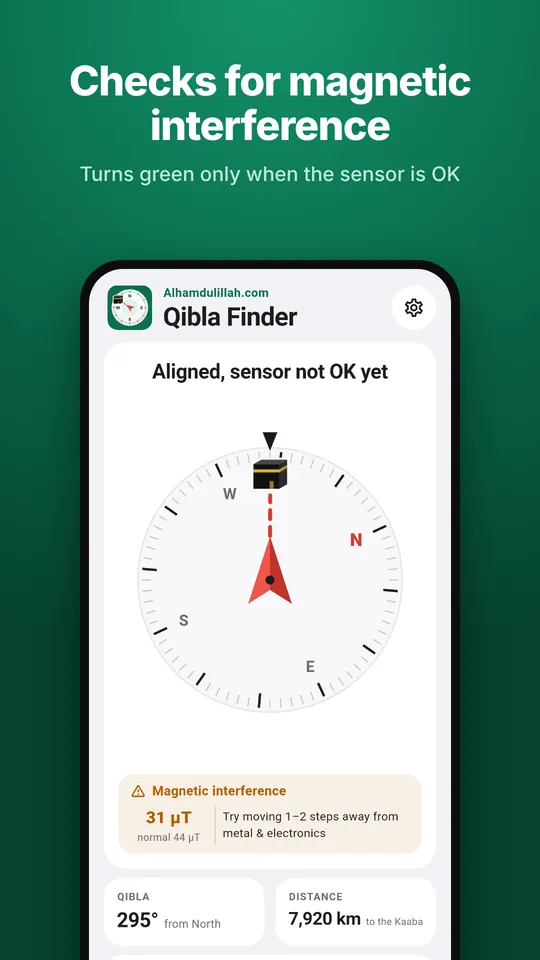
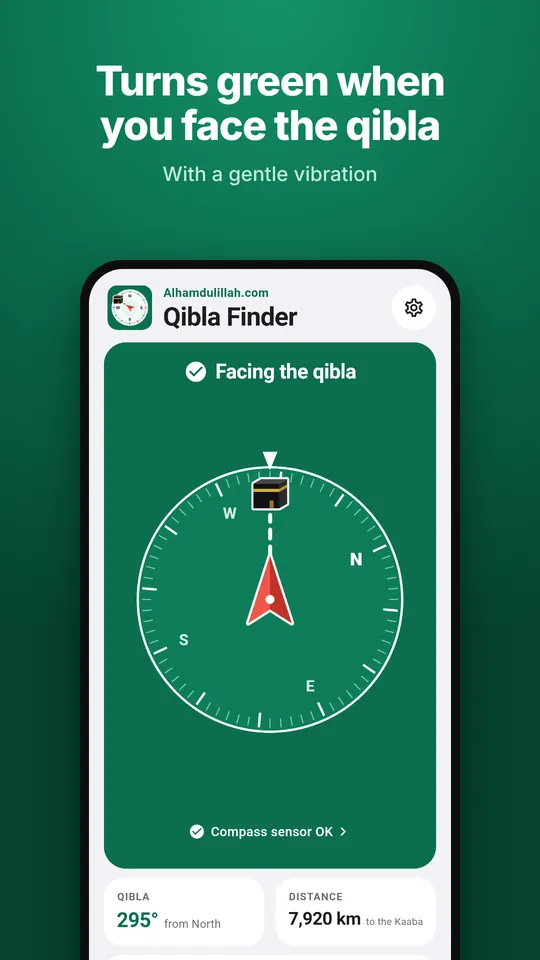
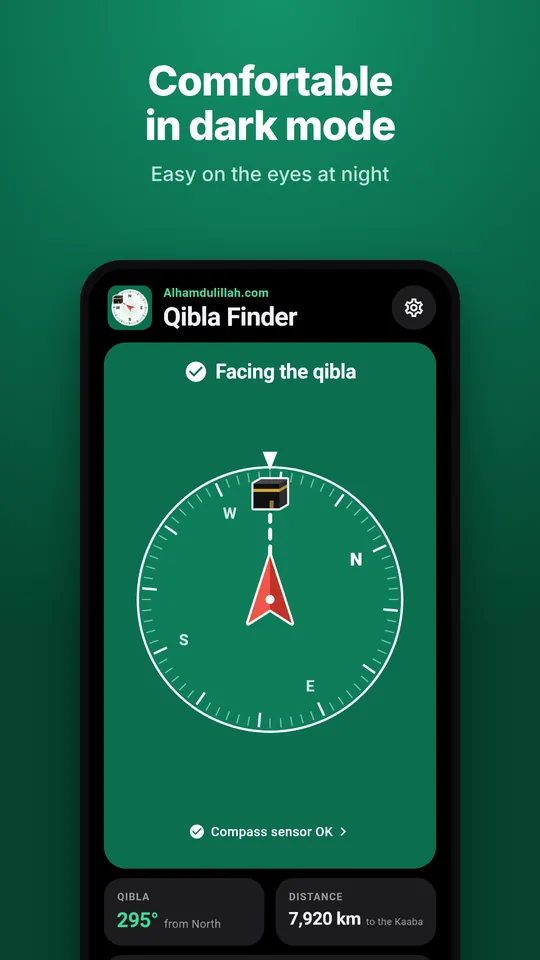
We even check the magnetic field, so the direction is right
A phone compass works by reading Earth’s magnetic field. The problem is that the sensor is also affected by other things around you. When it’s disturbed, the compass can be off by ten degrees or more, often with no warning on screen.
That’s why Qibla Finder doesn’t just point. It keeps comparing the strength of the magnetic field your phone measures with Earth’s normal value at your location (roughly 25–65 µT depending on where you are).
If the difference is large, something is interfering. The app tells you, suggests moving 1–2 steps, and the screen won’t turn green until the sensor is back to normal. So when the screen is green, you know the direction is right and the compass isn’t being disturbed.
What usually disturbs a compass?
- Steel in buildings: reinforced concrete, pillars and floors. Common in hotels, apartments and tall buildings.
- Metal furniture: desks, cabinets, bed frames or shelves.
- Electronics and power cables: TVs, fridges, air conditioners, speakers, laptops, and wiring in walls or floors.
- Magnets near the phone: magnetic cases or wallets, car mounts, magnetic accessories.
- Inside a vehicle: the car body and engine are made of metal.
A figure-8 calibration only fixes the phone’s own magnets; it doesn’t remove interference around you. That’s why the main advice is to move a little away from the source. See also the tips below.
Why Qibla Finder?
Instantly clear
Open the app and within seconds you see the direction of the Kaaba. When you face the qibla (within ±1.5°) and the sensor is OK, the screen turns green and your phone vibrates once.
Magnetic interference check
The app compares the magnetic field your phone measures with Earth’s normal field at your location (e.g. 31 µT vs. a normal 45 µT). If metal or electronics nearby disturb the compass, it tells you to move 1–2 steps, and the screen only turns green once the sensor is OK.
Accurate
The direction is calculated with the great-circle formula to the Kaaba (21.4225° N, 39.8262° E) and corrected to true north, not magnetic north.
No ads, no tracking
No ads, accounts, analytics or servers. The app is built without internet access, so your location never leaves your phone.
Works offline
GPS and the compass need no internet. No GPS? Choose from 12,000+ cities in Indonesia and worldwide, including Makkah, Madinah, Mina and Arafah.
Comfortable to use
Dark mode, text size follows your phone settings, and the screen stays on while the compass is open.
10 languages
English, Indonesian, Arabic, Urdu, Bengali, Turkish, Persian, Malay, French and Chinese. Arabic, Urdu and Persian read right-to-left.
Help & sharing
Report a problem or suggest a feature from Settings — your email app opens with the details filled in. Invite friends with a link or a QR code they can scan.
Tips for a more accurate direction
- Remove magnetic cases or mounts, and keep your phone away from metal objects.
- Hold your phone flat or slightly tilted in front of your chest.
- If the app shows magnetic interference, move 1–2 steps away from metal and electronics until it shows “Compass sensor OK”. Indoors, steel in the building can bend the direction, so compare with a reading outside and mark the direction on the floor.
- If asked, calibrate by moving your phone in a figure-8 a few times. (Calibration fixes the phone’s own magnets, not interference around you.)
- Allow location so the app uses true north and your exact position.
Frequently asked questions
What is a free qibla finder app with no ads?
Qibla Finder by Alhamdulillah.com is a free qibla compass for Android with no ads, no account and no tracking. It shows the direction of the Kaaba within seconds, turns the screen green and vibrates once when you face the qibla.
Does Qibla Finder work offline?
Yes. GPS and the compass sensor need no internet, so the qibla direction works offline. Without GPS you can choose from more than 12,000 cities.
Why is the qibla compass on my phone sometimes wrong?
Phone compasses read the Earth's magnetic field and are easily disturbed by steel in buildings, furniture, electronics, magnetic phone cases and cars, sometimes by tens of degrees. Qibla Finder compares the measured field with the normal value at your location, warns you when it is disturbed, and only turns green when the sensor is OK.
How accurate is Qibla Finder?
The qibla is calculated with the great-circle formula towards the Kaaba (21.4225° N, 39.8262° E) and corrected to true north using the magnetic declination at your location. The screen turns green within ±1.5° of the qibla.
Does Qibla Finder collect my location?
No. Your location is only used on your phone to calculate the direction and is never sent anywhere. The app has no ads, analytics or account.